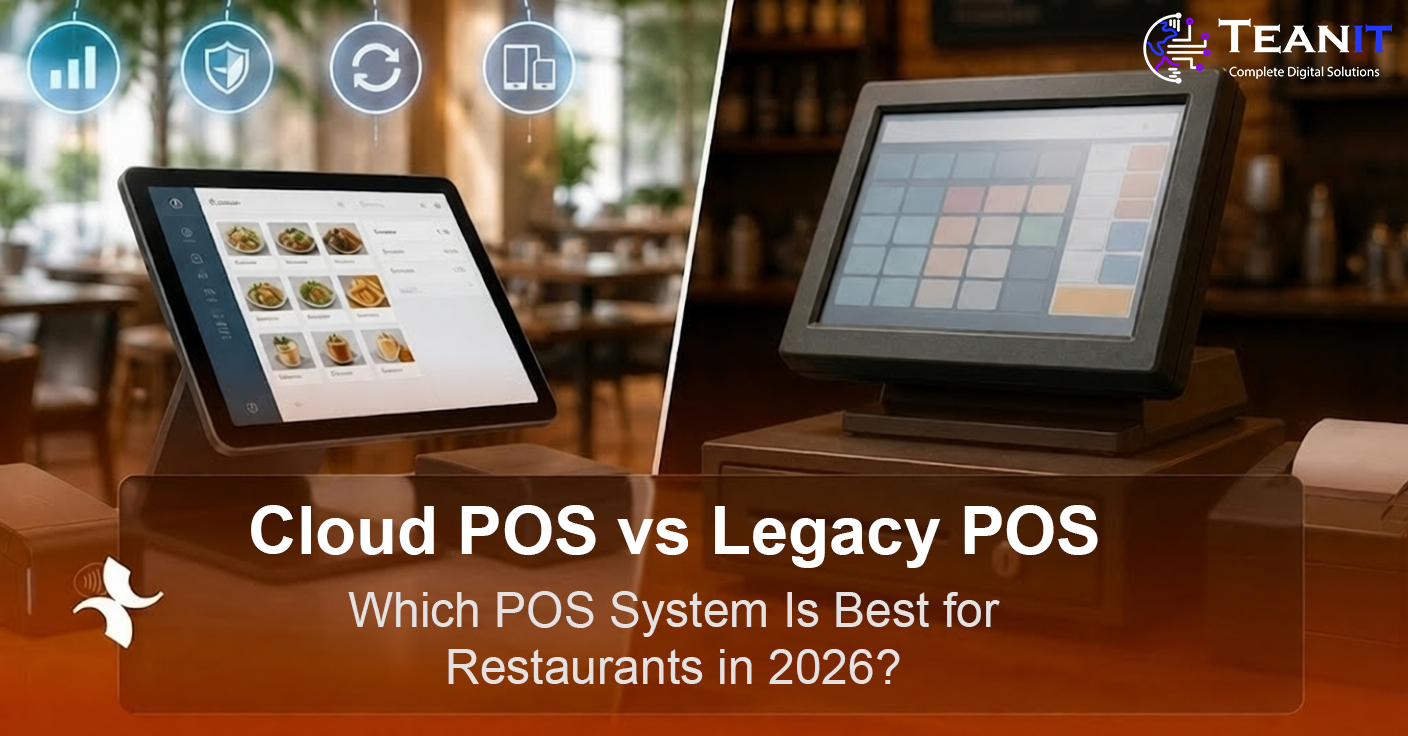
Cloud POS vs Legacy POS for Restaurants
Key Takeaways
- A Cloud POS stores and synchronizes restaurant data through internet-connected servers, while a Legacy POS usually depends more heavily on local hardware and on-premise software.
- Cloud POS systems are generally easier to access remotely, update, integrate, and scale across multiple restaurant branches.
- Legacy POS systems can still be suitable for restaurants that require highly controlled local infrastructure or have limited internet connectivity.
- The right choice depends on restaurant size, number of locations, internet reliability, integration requirements, security policies, budget, and growth plans.
- For many modern restaurants, a cloud-based architecture can provide greater flexibility, but the decision should be based on operational requirements rather than technology trends alone.
The point-of-sale system is one of the most important technology components inside a restaurant. It connects orders, payments, kitchen operations, employees, inventory, reporting, and sometimes delivery channels within one operational workflow.
For many restaurant owners, choosing a POS system now comes down to two broad approaches: Cloud POS and Legacy POS.
Both can process orders and payments, but the way they are installed, updated, accessed, integrated, maintained, and scaled can be very different.
In this guide, we compare Cloud POS vs Legacy POS for restaurants across cost, accessibility, internet dependence, security, integrations, maintenance, scalability, multi-branch management, and overall restaurant operations.
What Is a Cloud POS System?
A Cloud POS is a point-of-sale system where restaurant data is stored, processed, or synchronized through cloud infrastructure rather than depending entirely on a single local server inside the restaurant.
Restaurant staff can use supported devices to take orders, process transactions, manage menus, monitor sales, and perform other operations while the system communicates with cloud-based services.
Depending on the architecture, managers may also be able to access dashboards, reports, configuration, and branch performance remotely through a web application or mobile interface.
Important: Cloud POS does not always mean that every operation stops when the internet is unavailable. Some systems include offline modes that allow essential restaurant operations to continue temporarily and synchronize data when connectivity returns.
What Is a Legacy POS System?
A Legacy POS, sometimes called a traditional or on-premise POS, generally relies on software installed on local restaurant computers or servers.
Data is commonly stored inside the restaurant environment, and the system may depend on dedicated terminals, local networking, and hardware configured specifically for that installation.
Remote access, software updates, integrations, and multi-location synchronization may require more technical configuration than in a modern cloud-based system.
Cloud POS vs Legacy POS: Quick Comparison
| Area | Cloud POS | Legacy POS |
|---|---|---|
| Deployment | Cloud-based or hybrid infrastructure | Primarily local installation |
| Remote Access | Usually easier | Often limited or requires additional setup |
| Updates | Can be delivered centrally | May require local maintenance or installation |
| Multi-Branch Management | Typically easier to centralize | May require additional infrastructure |
| Integrations | Usually API-friendly | Can be more difficult depending on system age |
| Internet Dependency | Higher unless offline functionality exists | Core local functions may operate without internet |
| Hardware Flexibility | Often supports broader device options | Can depend on dedicated terminals |
| Scalability | Usually easier to expand | Expansion may require more local infrastructure |
1. Cost: Cloud POS vs Legacy POS
Cost is one of the first areas restaurant owners compare, but looking only at the initial purchase price can be misleading.
Cloud POS Costs
Cloud POS systems commonly involve recurring costs such as:
- Monthly or annual software subscriptions.
- Payment processing fees.
- Additional modules or integrations.
- Cloud storage or infrastructure costs.
- Support plans or advanced feature packages.
Legacy POS Costs
Traditional systems may involve higher initial expenses for:
- Dedicated terminals.
- Local servers.
- Network equipment.
- Software licenses.
- Installation.
- Maintenance contracts.
- On-site technical support.
Cost Tip: Compare the total cost of ownership over several years rather than comparing only the first invoice. Hardware replacement, support, upgrades, integrations, subscriptions, and downtime can all affect the real cost.
2. Installation and Setup
Cloud POS platforms can often be deployed faster because they usually require less local infrastructure.
Restaurant configuration, menu setup, user accounts, permissions, taxes, printers, kitchen routing, and payment devices still require proper setup, but the software itself can often be centrally configured.
Legacy POS deployments can involve installation of local servers, terminal configuration, database setup, network configuration, and hardware-specific integration.
For large restaurants or complex hospitality environments, either model may still require professional implementation and operational testing before launch.
3. Remote Access and Restaurant Management
One of the strongest advantages of Cloud POS is easier remote access.
An owner or operations manager may be able to view sales, monitor branches, review labor performance, change menu information, analyze products, and access reports without physically visiting the restaurant.
With a legacy system, this information may remain primarily inside the local restaurant network unless a remote access system or centralized management solution has been implemented.
For restaurant groups operating multiple branches, centralized access can significantly simplify reporting, menu management, and operational control.
4. What Happens If the Internet Goes Down?
Internet reliability is one of the most important questions when evaluating a Cloud POS.
A poorly designed cloud system that requires a constant internet connection for every operation can create serious restaurant problems during an outage.
A well-designed modern POS may include an offline mode that allows selected functions to continue locally, such as order entry, kitchen ticket routing, or temporary transaction storage.
Once connectivity returns, the system can synchronize pending information with the cloud.
Legacy POS systems often perform more of their operations locally, which can reduce dependence on external connectivity. However, online services such as payment authorization, delivery integrations, and remote reporting may still require internet access.
5. Software Updates and Maintenance
Cloud POS platforms can usually deliver software updates centrally.
This can make bug fixes, feature improvements, security patches, and configuration changes easier to distribute across multiple locations.
Legacy software may require local installation, scheduled maintenance, or manual upgrades on restaurant terminals and servers.
The actual difference depends heavily on the vendor and architecture, but centralized updates are generally one of the main operational advantages of cloud software.
6. Hardware Requirements
Traditional restaurant POS systems are often associated with dedicated terminals, local servers, fixed cashier stations, and specialized hardware.
Cloud-based systems can provide more flexibility and may support tablets, touchscreens, mobile devices, or lightweight terminals depending on the software.
This can be useful for concepts such as:
- Tableside ordering.
- Mobile waiters.
- Food trucks.
- Pop-up restaurants.
- Quick-service restaurants.
- Temporary sales locations.
7. Multi-Location Restaurant Management
Cloud POS systems are often especially attractive to restaurant groups and franchises.
A centralized cloud platform can make it easier to manage:
- Multiple branches.
- Centralized menus.
- Different branch prices.
- Promotions.
- Permissions.
- Consolidated reports.
- Performance comparison.
- Centralized product configuration.
Legacy systems can also support multiple locations, but synchronization and central reporting may require additional infrastructure or specialized enterprise modules.
8. Integrations
Modern restaurants rarely use the POS in isolation.
The system may need to connect with:
Online Ordering
Receive orders directly from the restaurant website or mobile application.
Delivery Platforms
Integrate delivery orders into the restaurant workflow and reduce manual re-entry.
Inventory
Connect sales to ingredient consumption, purchasing, and stock control.
Accounting
Transfer financial data to accounting and ERP systems.
Loyalty
Connect customer profiles, points, rewards, and promotional campaigns.
Payments
Integrate payment gateways, card terminals, wallets, and other supported methods.
Cloud POS platforms are often designed with APIs and modern integrations in mind, while older legacy systems can require custom middleware or additional development to connect with newer services.
9. Security: Which Is Safer?
Neither cloud nor local infrastructure is automatically secure simply because of where the data is stored.
Security depends on the actual design, including authentication, encryption, permissions, backups, patching, logging, network configuration, payment security, and access controls.
Cloud POS Security
A professional cloud provider can centralize backups, patches, monitoring, encryption, and infrastructure security. However, restaurants must still secure user accounts, devices, passwords, permissions, and network access.
Legacy POS Security
On-premise systems can provide more direct local control, but the restaurant may also become responsible for backups, updates, server security, local networking, and hardware protection.
Security Principle: A secure POS requires properly designed controls regardless of whether it is hosted in the cloud or inside the restaurant.
10. Backups and Disaster Recovery
Cloud platforms can automate data backups and replication, reducing the risk that a single local hardware failure will destroy restaurant data.
With a legacy system, the restaurant or technology provider may need to maintain local or remote backup procedures manually.
A restaurant should verify how frequently data is backed up, where backups are stored, how recovery works, and what happens if hardware, connectivity, or cloud infrastructure becomes unavailable.
11. Scalability
A restaurant may begin with one location and later expand to five, twenty, or hundreds of branches.
Cloud POS platforms can make expansion easier because new locations can often connect to the same centralized system without building completely separate local infrastructure for each branch.
Legacy POS can scale as well, but expansion may require additional local servers, licenses, networking, configuration, and synchronization systems.
12. Reporting and Analytics
Cloud POS can provide centralized real-time or near-real-time reporting across locations.
Restaurant owners may want to monitor:
- Daily sales.
- Average order value.
- Top-selling menu items.
- Discount usage.
- Void and refund activity.
- Employee performance.
- Branch comparison.
- Sales by channel.
- Hourly performance.
A legacy system may provide strong local reporting as well, but consolidating data across branches can be more difficult depending on the architecture.
13. Restaurant Operations and Kitchen Workflow
The best POS system is not the one with the longest feature list. It is the one that fits the restaurant's actual workflow.
A restaurant POS may need to support:
- Dine-in orders.
- Takeaway orders.
- Delivery.
- Table management.
- Kitchen Display Systems.
- Kitchen printers.
- Order modifiers.
- Split bills.
- Multiple payment methods.
- Tips.
- Discounts.
- Employee permissions.
Main Advantages of Cloud POS for Restaurants
Remote Access
Owners and managers can often access restaurant information from outside the branch.
Centralized Management
Manage multiple locations through a unified platform.
Faster Updates
Software changes and patches can often be deployed centrally.
Integrations
Modern APIs can make connections with delivery, accounting, loyalty, and other platforms easier.
Scalability
New restaurant locations can often be added with less local infrastructure.
Flexible Hardware
Some solutions support tablets, mobile devices, and modern terminals.
Potential Disadvantages of Cloud POS
Internet Dependency
Poor connectivity can affect operations if the system does not provide a reliable offline mode.
Recurring Subscription Costs
Monthly or annual software fees continue throughout the life of the system.
Vendor Dependence
The restaurant depends on the provider's infrastructure, roadmap, pricing, and service continuity.
Data and Compliance Requirements
Restaurants may need to understand where data is hosted and how privacy, payment, and regulatory requirements are handled.
Main Advantages of Legacy POS
Local Control
The restaurant can maintain significant control over local hardware, software, and data infrastructure.
Reduced Cloud Dependency
Core local functions may continue even when internet connectivity is unavailable.
Existing Infrastructure
A restaurant with a stable and fully integrated legacy system may not need immediate replacement.
Potential Disadvantages of Legacy POS
Higher Hardware Requirements
Local servers and specialized terminals can increase deployment and maintenance costs.
Difficult Remote Access
Owners may need additional infrastructure to securely access data outside the restaurant.
More Complex Updates
Updates may require manual installation or on-site technical support.
Integration Limitations
Older software can be difficult to integrate with modern delivery, payment, CRM, and analytics platforms.
Who Should Choose a Cloud POS?
A Cloud POS can be especially suitable for restaurants that:
- Operate multiple locations.
- Need remote management.
- Use online ordering.
- Integrate with delivery platforms.
- Need centralized reports.
- Plan to scale quickly.
- Want flexible hardware options.
- Need APIs and third-party integrations.
- Prefer centrally managed software updates.
When Can a Legacy POS Still Make Sense?
A legacy or on-premise solution may still make sense when:
- Internet connectivity is consistently unreliable.
- The restaurant has strict local infrastructure requirements.
- Existing hardware and software are stable and fully integrated.
- The business does not need extensive remote access.
- Migration would create more operational risk than immediate value.
- Industry or organizational policies require specific on-premise controls.
How Do You Migrate From Legacy POS to Cloud POS?
Moving from a traditional POS to a cloud-based platform should be treated as an operational project, not simply a software installation.
1. Document the Current System
Identify menu structure, modifiers, taxes, user permissions, reports, payment methods, integrations, printers, kitchen routing, inventory rules, and operational workflows.
2. Clean the Existing Data
Remove outdated items, duplicate products, inactive users, incorrect categories, and other unnecessary information before migration.
3. Configure the New System
Set up products, menus, prices, tables, users, permissions, taxes, payments, kitchen stations, and restaurant-specific settings.
4. Connect Integrations
Configure payment systems, delivery applications, accounting, inventory, loyalty, and other required platforms.
5. Test Real Restaurant Scenarios
Testing should include:
- Dine-in order.
- Takeaway.
- Delivery order.
- Split bill.
- Discount.
- Refund.
- Kitchen printer failure.
- Internet outage.
- Payment failure.
- End-of-day closing.
6. Train the Team
Cashiers, waiters, supervisors, kitchen staff, and managers should understand the new workflow before the migration date.
7. Launch With Support Available
Plan the migration during a lower-risk period and ensure technical support is available during the first live operating shifts.
Planning a Restaurant POS System?
Define your restaurant workflow, branches, ordering channels, integrations, reporting requirements, and infrastructure before choosing or developing the POS platform.
Request a QuoteShould You Buy a Ready-Made POS or Develop a Custom Restaurant POS?
Not every restaurant needs custom software.
A ready-made Cloud POS may be the fastest option for restaurants with standard requirements such as order entry, payments, kitchen printing, reports, and basic inventory.
Custom POS development may become more relevant when the business has unique workflows, complex integrations, franchise requirements, specialized pricing, custom loyalty systems, regional payment needs, or plans to build a larger restaurant technology platform.
The decision should consider both current operations and the cost of adapting the restaurant to the software versus adapting the software to the restaurant.
Essential Features of a Modern Restaurant POS
Order Management
Create, edit, hold, transfer, cancel, and complete restaurant orders.
Menu Management
Manage products, categories, sizes, add-ons, modifiers, pricing, and availability.
Table Management
Manage tables, seating, order transfers, and dine-in workflows.
Kitchen Management
Route orders to kitchen printers or Kitchen Display Systems.
Payments
Support cash, cards, digital wallets, split payments, and other market-specific methods.
Employee Permissions
Control access to discounts, refunds, reports, cancellations, and administrative functions.
Reports
Monitor sales, products, branches, employees, discounts, taxes, and payment methods.
Inventory Integration
Connect sold menu items with ingredient and stock consumption when required.
Delivery Integration
Receive and manage online and third-party delivery orders.
How to Choose Between Cloud POS and Legacy POS
Before choosing a system, restaurant owners should answer the following questions:
- How many restaurant locations do you operate?
- Do managers need remote access?
- How reliable is your internet connection?
- What should happen during an internet outage?
- Do you need delivery-platform integrations?
- Do you need online ordering?
- Do you need accounting or ERP integration?
- Will the restaurant expand to more branches?
- What hardware is already available?
- What is the total implementation budget?
- What monthly operating cost is acceptable?
- Do you have any specific data-hosting, security, or compliance requirements?
Frequently Asked Questions About Cloud POS vs Legacy POS
Is Cloud POS Better Than Legacy POS?
Not automatically. Cloud POS is often more flexible for remote access, integrations, updates, and multi-location management, while legacy systems may still fit restaurants that require strong local infrastructure or have unreliable connectivity.
Can a Cloud POS Work Without Internet?
Some Cloud POS platforms support offline functionality, but the exact capabilities vary. Restaurants should verify which functions continue working during an internet outage before selecting a system.
Is Cloud POS More Expensive?
Cloud systems often have recurring subscription costs, while legacy systems may require higher upfront hardware and installation costs. The better comparison is the total cost of ownership over several years.
Is Cloud POS Secure?
It can be, provided the platform uses proper security controls such as encryption, authentication, backups, access permissions, patching, monitoring, and secure payment practices.
Is Cloud POS Better for Multiple Restaurant Locations?
In many cases, yes. Centralized reporting, menu management, configuration, and remote access can make cloud platforms particularly useful for restaurant groups and franchises.
Should a Small Restaurant Use Cloud POS?
A small restaurant can benefit from a Cloud POS if it wants simple deployment, remote reporting, modern payment integrations, and lower local infrastructure requirements. However, the exact solution should still match the restaurant's workflow and budget.
Can a Restaurant Build Its Own Cloud POS?
Yes. Custom POS software can be developed when the restaurant or restaurant group has specialized workflows, integrations, business rules, or expansion plans that are not well supported by standard products.
Conclusion
The choice between Cloud POS and Legacy POS is not simply a choice between new technology and old technology.
It is a decision about how your restaurant wants to manage orders, payments, branches, integrations, data, hardware, reporting, maintenance, and future growth.
For many modern restaurant businesses, Cloud POS provides important advantages in remote access, centralized management, software updates, integrations, and scalability.
However, restaurants with unreliable internet connectivity, specialized local infrastructure, or a stable existing legacy environment may have valid reasons to retain an on-premise approach or move gradually toward a hybrid model.
The best POS strategy starts with the restaurant's operational requirements first and the technology decision second.
Planning to Develop or Modernize a Restaurant POS System?
The Teanit team can help transform your restaurant operations into a clear technical scope, from workflow analysis and UI/UX design to POS development, cloud architecture, mobile applications, backend systems, payment integrations, kitchen workflows, and administration dashboards.
Discuss Your Project